
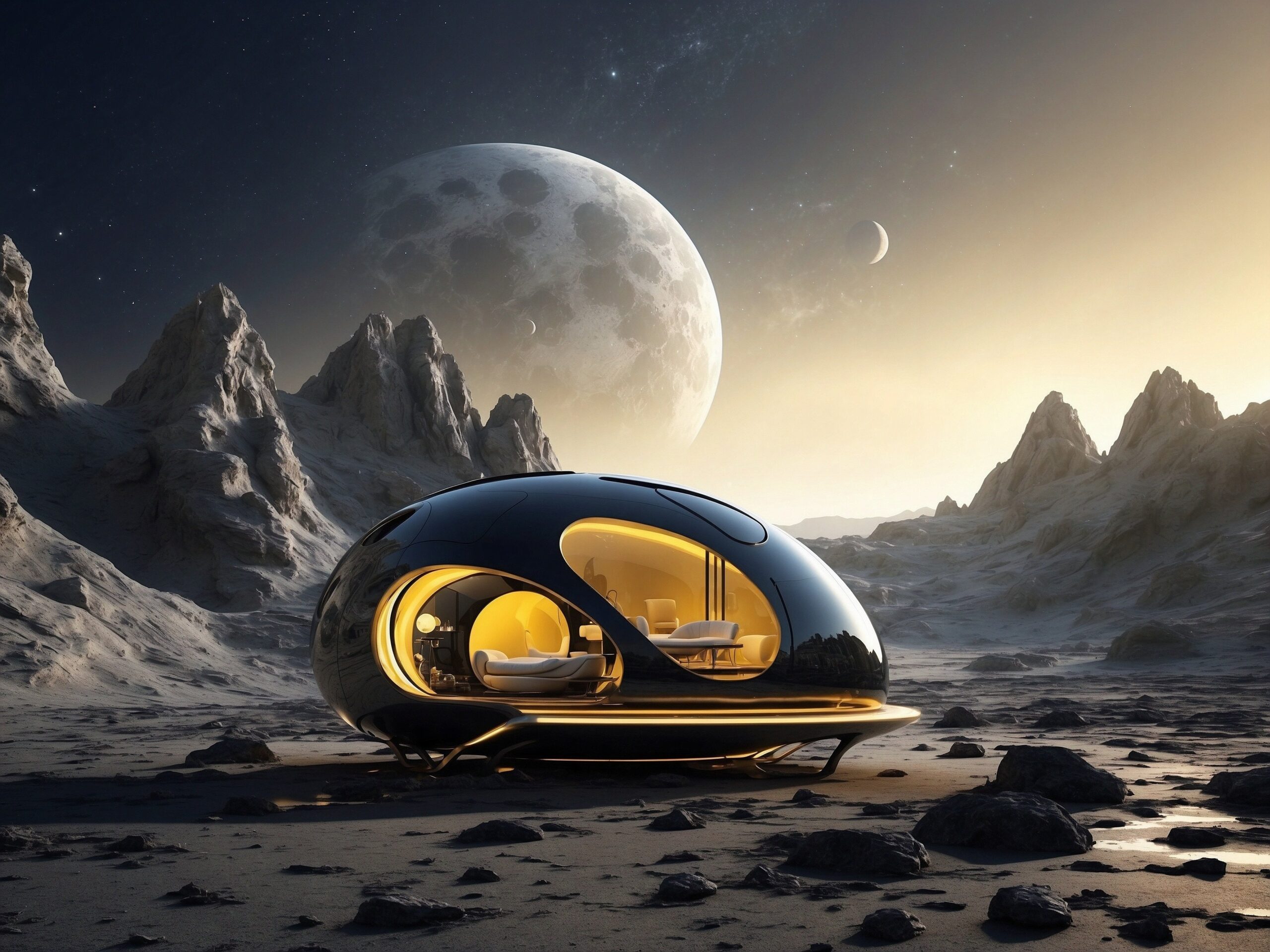
Learn how to use Runway AI step by step in this complete beginner’s guide. Discover text-to-video generation, image animation, prompts, camera controls, pricing, and practical examples.
Table of Contents
Introduction: How to Use Runway AI


If you’re searching for How to Use Runway AI, you’ve come to the right place.
Runway is one of the most advanced AI video creation tools available today. It allows anyone to generate professional-looking videos simply by typing text prompts or uploading images.
Only a few years ago, making cinematic videos required:
- Expensive cameras
- Professional editors
- Animation software
- Years of experience
Today, Runway AI changes everything.
You can create videos for:
- YouTube Shorts
- TikTok
- Instagram Reels
- Product advertisements
- Storytelling projects
- Marketing campaigns
All you need is an idea and a few words.
What Is Runway AI?
Runway AI is an artificial intelligence platform designed for video generation and editing.
Think of it as:
“ChatGPT and Midjourney, but for videos.”
Instead of writing text and receiving an article, or typing prompts and receiving images, you type prompts and receive moving videos.
How Does Runway AI Work?


The process is surprisingly simple.
Step 1
You describe a scene.
Example:
A luxury perfume bottle on a black marble table with golden lighting.
Step 2
Runway AI analyzes your prompt.
It identifies:
- Objects
- Environment
- Lighting
- Motion
- Camera movement
Step 3
The AI builds the scene frame by frame.
Step 4
The system generates a video clip.
The entire process usually takes less than a minute.
Why Is Runway AI So Popular?
1. It saves time
Traditional video production:
- Planning
- Filming
- Editing
- Color grading
Can take days or weeks.
Runway can produce short clips within minutes.
2. It lowers costs
Professional commercials can cost hundreds or even thousands of dollars.
AI-generated videos can be created for a fraction of that cost.
3. Beginners can use it
You don’t need:
- Premiere Pro
- After Effects
- Animation skills
You only need to learn how to write prompts.
Who Should Use Runway AI?


Content Creators
Perfect for:
- YouTube creators
- Bloggers
- Influencers
E-commerce Sellers
Perfect for:
- Shopify stores
- Amazon sellers
- Product advertisements
Social Media Managers
Perfect for:
- Instagram campaigns
- TikTok videos
- Facebook ads
Small Businesses
Perfect for:
- Explainer videos
- Brand storytelling
- Promotional campaigns
What Can Runway AI Create?
Runway AI can generate many different types of videos.
Cinematic Videos
Examples:
- Nature scenes
- Cities at night
- Storytelling videos
Product Advertisements
Examples:
- Perfume commercials
- Beauty products
- Home decoration videos
Social Media Content
Examples:
- TikTok videos
- Instagram Reels
- YouTube Shorts
Animated Images
You can upload a still image and make it move naturally.
Marketing Videos
Businesses use Runway to create:
- Product launches
- Brand videos
- Website hero videos
Creating Your Runway Account


Step 1: Create an Account
Create an account using:
- Email address
Google login is usually the easiest option.
Step 2: Verify Your Email
Runway may send a verification email.
Click the verification link.
Step 3: Enter the Dashboard
After logging in, you’ll arrive at the main workspace.
Many beginners feel overwhelmed at first.
Don’t worry.
We’ll explain every important area.
Understanding the Dashboard


Projects
This section stores all of your work.
Think of it as folders on your computer.
Every generated video will appear here.
Generate Video
This is the heart of Runway AI.
This is where you:
- Write prompts
- Upload images
- Generate videos
You’ll spend most of your time here.
Assets
Assets are files that you’ve uploaded.
Examples:
- Images
- Videos
- Logos
- Product photos
You can reuse these assets in future projects.
Settings
Settings allow you to:
- Manage subscriptions
- Check credits
- Change preferences
- Manage account information
Understanding Credits
One of the most confusing concepts for beginners is credits.
Think of credits as:
The fuel that powers your AI generations.
Every time you create a video, some credits are used.
More complex videos usually consume more credits.
This is why learning prompts is important.
Good prompts save both time and credits.
Your First Goal
By the end of this section, you should be able to:
✅ Create a Runway account
✅ Understand the dashboard
✅ Know what credits are
✅ Understand what Runway can do
✅ Feel comfortable navigating the interface
What’s Next?
In the next section, you’ll learn the most important skill:
How to use Text-to-Video generation step by step.
You’ll learn:
- How to write prompts
- How camera movements work
- How to generate cinematic videos
- How to make product advertisements
- Why some prompts fail
- The exact prompt formulas professionals use
What Is Text-to-Video?
Text-to-Video (often called T2V) is the core feature that made Runway famous.
The idea is simple:
You type words → AI creates moving video.
For example, if you type:
A golden retriever running on the beach at sunset.
Runway doesn’t simply generate one image.
Instead, it creates:
- The dog
- The beach
- The sunset lighting
- The movement of the dog
- The movement of the camera
- The atmosphere of the entire scene
All of this happens automatically.
How Text-to-Video Actually Works
Many beginners think AI is making one picture and moving it.
That is not exactly how it works.
Runway analyzes your prompt in several stages.
Stage 1: Understanding Objects
Prompt:
A woman walking through a snowy forest.
Runway identifies:
Object:
- woman
Environment:
- snowy forest
Action:
- walking
Atmosphere:
- winter
Stage 2: Building the Scene
The AI decides:
- Where the woman stands
- How the forest looks
- How much snow is visible
- How light should appear
Stage 3: Creating Motion
Runway generates movement:
- The woman walks
- Snow particles move
- Camera moves
- Lighting changes naturally
Why Some Videos Look Amazing and Others Look Terrible
The answer is simple:
Prompt quality.
AI cannot read your mind.
It only understands the information you provide.
Example 1
Prompt:
womanResult:
❌ Generic video
Example 2
Prompt:
Young woman walking through a snowy forest, soft winter sunlight, cinematic atmosphere, slow tracking camera movement, ultra realistic.Result:
✅ Professional-looking video
The Biggest Beginner Mistake
Many beginners write prompts like:
beautiful videoThe problem:
What is beautiful?
Beautiful to whom?
AI doesn’t know.
You must give details.
The Professional Prompt Formula
This is one of the most useful formulas for beginners.
Subject + Environment + Action + Lighting + Camera Movement + StyleLet’s break this down.
Part 1: Subject
Subject answers:
Who or what is in the video?
Examples:
- woman
- dog
- perfume bottle
- luxury car
- artificial flowers
Good Subject
luxury perfume bottleBetter Subject
premium crystal perfume bottle with golden capMore detail usually produces better results.
Part 2: Environment
Environment answers:
Where does the scene happen?
Examples:
- beach
- office
- modern living room
- mountain
- futuristic city
Weak Example
carStrong Example
luxury sports car parked in a futuristic city street at nightMuch better.
Part 3: Action
Action answers:
What is happening?
Examples:
- walking
- driving
- turning
- floating
- opening
Weak Example
perfume bottleBetter Example
perfume bottle slowly rotating on a marble tableNow the AI understands movement.
Part 4: Lighting
Lighting changes everything.
Professional photographers know this.
AI videos are no different.
Soft Lighting
Creates:
- warm feeling
- lifestyle content
- beauty products
Golden Hour Lighting
Creates:
- luxury feeling
- emotional atmosphere
- cinematic videos
Studio Lighting
Creates:
- professional advertisements
- product videos
- premium look
Neon Lighting
Creates:
- futuristic scenes
- cyberpunk style
- gaming atmosphere
Part 5: Camera Movement
This is where beginners often struggle.
Without camera movement:
Video feels boring.
With camera movement:
Video feels cinematic.
Camera Movement 1: Zoom In
Effect:
Dramatic.
Example:
slow zoom inGreat for:
- product advertisements
- emotional scenes
Camera Movement 2: Zoom Out
Effect:
Reveal surroundings.
Example:
slow zoom outPerfect for:
- landscapes
- architecture
- storytelling
Camera Movement 3: Pan Left
Effect:
Shows more environment.
Example:
camera slowly pans leftCamera Movement 4: Pan Right
Excellent for:
- products
- room tours
- furniture
Camera Movement 5: Tracking Shot
Effect:
Feels like a movie.
Example:
smooth tracking shot following the subjectCamera Movement 6: Orbit
Effect:
Premium commercial look.
Example:
slow orbit camera movementPerfect for:
- watches
- cosmetics
- luxury products
Part 6: Style
Style determines the final appearance.
Examples:
- cinematic
- realistic
- documentary
- anime
- commercial advertisement
- futuristic
Prompt Formula in Action
Example 1: Product Advertisement
Luxury perfume bottle on black marble table, soft golden studio lighting, slow orbit camera movement, premium commercial advertisement, ultra realistic.Example 2: Home Decoration Video
Elegant white artificial flowers inside a modern living room, warm morning sunlight, slow push-in camera movement, luxury home decor commercial, ultra realistic.Example 3: Travel Video
Young woman walking through a traditional Japanese street at night, glowing lanterns, smooth tracking shot, cinematic atmosphere, ultra realistic.Writing Better Prompts Step by Step
Imagine you sell artificial flowers.
Bad Prompt:
flowersResult:
❌ Random flowers.
Slightly Better:
white artificial flowersStill weak.
Professional Prompt:
Elegant white artificial flowers arranged inside a luxury modern living room, warm sunlight coming through large windows, slow camera push-in, premium home decor advertisement, ultra realistic.Result:
✅ Looks like a commercial.
Why Professionals Keep Prompts Simple
Many beginners do the opposite.
They write:
flowers table cat dog house city mountains sunset futuristic cinematic dramatic advertisement luxury realistic highly detailed beautiful masterpieceThis often confuses AI.
More words do not automatically create better videos.
Clarity wins.
Best Prompt Templates for Beginners
Product Commercial
[Product] on [surface], [lighting], slow orbit camera movement, premium commercial advertisement, ultra realistic.Landscape Video
Beautiful [place], gentle wind movement, cinematic atmosphere, slow aerial camera movement, ultra realistic.Character Scene
Young [person] in [environment], performing [action], cinematic lighting, smooth tracking shot, ultra realistic.Social Media Advertisement
Modern [product] inside [environment], dramatic lighting, fast cinematic cuts, premium advertisement style.Real Business Example: Shopify Seller
Imagine you sell candles.
Traditional process:
- Hire photographer
- Rent studio
- Edit video
Cost:
$200–$1,000+
Runway process:
Prompt:
Luxury scented candle on wooden table, warm evening lighting, slow orbit camera movement, premium lifestyle advertisement, ultra realistic.Cost:
Only a few credits.
Real Business Example: YouTube Creator
Prompt:
Massive futuristic city at night, flying vehicles, neon lights, cinematic aerial camera movement, science fiction atmosphere.Perfect for:
- YouTube intros
- Background footage
- Storytelling videos
Real Business Example: Blogger
Prompt:
Artificial intelligence abstract digital network, glowing blue particles, slow camera movement, futuristic cinematic style.Excellent for:
- blog headers
- website hero videos
- landing pages
Beginner Practice Exercise
Try these prompts:
Exercise 1
Golden retriever running on the beach at sunset, slow motion, cinematic style.Exercise 2
Luxury coffee cup on wooden table, morning sunlight, slow orbit camera movement.Exercise 3
Modern office workspace with laptop and plants, smooth camera pan, documentary style.What Is Image-to-Video?
Image-to-Video (I2V) is one of Runway AI’s most powerful features.
Instead of creating a video entirely from text, you start with an image.
Then Runway AI turns that image into a moving scene.
Think of it like this:
Text-to-Video = Start with words
Image-to-Video = Start with a picture
Why Image-to-Video Is So Popular
Because many creators already have images.
For example:
- Product photos
- AI-generated images
- Logos
- Character illustrations
- Landscape photos
- Interior design renders
Instead of creating everything from scratch, you can animate what you already have.
Real Examples


Example 1
Upload a product image.
Runway can:
- Move the camera
- Add lighting effects
- Create cinematic motion
Example 2
Upload a living room image.
Runway can:
- Create sunlight movement
- Add camera movement
- Produce a luxury commercial feeling
How to Use Image-to-Video Step by Step
Step 1: Open Video Generation Workspace
Go to:
Generate Video
Choose:
Image-to-Video
Step 2: Upload an Image
Good images:
✅ High resolution
✅ Clear subject
✅ Good lighting
✅ Simple composition
Bad images:
❌ Blurry
❌ Extremely dark
❌ Too many objects
Step 3: Describe Motion
This is where beginners usually fail.
Remember:
You are not describing the image.
You are describing:
What should happen inside the image.
Bad Example
beautiful living roomNo movement instructions.
Better Example
Soft sunlight slowly moves across the room while the camera gently pushes toward the flowers.Much better.
Professional Example
Warm morning sunlight enters through large windows, curtains move gently with the breeze, and the camera slowly pushes toward the elegant white flowers.Now the scene feels alive.
How to Think Like a Movie Director
A good video usually answers three questions.
Question 1
What moves?
Examples:
- Person
- Water
- Trees
- Product
- Light
Question 2
How does it move?
Examples:
- Slowly
- Smoothly
- Dramatically
Question 3
How does the camera move?
Examples:
- Zoom in
- Orbit
- Pan left
- Tracking shot
Example Formula
Object movement + Environment movement + Camera movementProduct Advertisement Example
The perfume bottle slowly rotates while soft golden light reflects on the marble surface and the camera gently orbits around the product.Home Decoration Example
Sunlight gradually fills the room while curtains move gently and the camera slowly pushes toward the flowers.Portrait Example
The woman's hair moves slightly in the wind while the camera slowly circles around her face.Chapter 9: Creating Product Advertisements with Runway AI


This is where many businesses save money.
Traditional commercial production often requires:
- Studio
- Photographer
- Lighting equipment
- Editor
Runway can simulate much of this process.
Formula for Product Videos
Product + Surface + Lighting + Motion + Camera + StyleExample
Luxury skincare bottle on black marble table, golden studio lighting, slow orbit camera movement, premium commercial advertisement, ultra realistic.Formula for Home Decor Videos
Elegant white flowers inside a modern living room, warm sunlight, slow push-in camera movement, luxury commercial style.Formula for Jewelry Videos
Diamond ring on reflective black surface, dramatic lighting, slow rotating camera movement, luxury advertisement style.Chapter 10: Creating TikTok Videos with Runway AI
TikTok rewards:
- Strong hooks
- Fast movement
- Emotional scenes
Example Prompt
Young woman walking through a futuristic city, neon lights, fast cinematic cuts, dramatic atmosphere, social media advertisement style.Hook Ideas
Surprise
A flower suddenly blooms into a glowing futuristic version.Transformation
An empty room transforms into a luxury living room.Before and After
Old product packaging transforms into modern luxury branding.Chapter 11: Creating YouTube Shorts
YouTube Shorts usually perform well when videos have:
- Strong visual storytelling
- Camera movement
- Clear subject
Example
Massive futuristic city at sunset, flying vehicles, cinematic aerial movement, science fiction atmosphere.Chapter 12: Advanced Prompt Techniques
Layering Details
Beginners:
dogProfessionals:
Golden retriever running through tall grass during sunset, warm lighting, cinematic slow motion, shallow depth of field.Adding Atmosphere
Examples:
- dreamy atmosphere
- mysterious atmosphere
- luxury atmosphere
- futuristic atmosphere
Adding Emotion
Examples:
- peaceful
- dramatic
- exciting
- romantic
These small words often improve videos significantly.
Chapter 13: Why Videos Sometimes Look Weird
AI is still learning.
Sometimes you may see:
- strange hands
- object distortion
- unnatural movement
This happens because AI predicts motion frame by frame.
How to Reduce Problems
Keep scenes simple
Good:
One person walking.
Bad:
Ten people dancing while cars explode.
Use clear descriptions
Good:
Young woman walking slowly.Bad:
person doing stuffGenerate multiple versions
Professionals rarely keep the first result.
They generate several versions and pick the best one.
Chapter 14: Understanding Credits
Credits are your generation currency.
Think of them like fuel.
More generations = more credits used.
Save Credits with Better Prompts
Poor prompts:
❌ Many failed generations.
Good prompts:
✅ Better results on the first few attempts.
Chapter 15: Pricing Explained


| Plan | Best For |
|---|---|
| Free | Learning and testing |
| Standard | Content creators |
| Pro | Businesses and agencies |
Which Plan Should You Choose?
Beginner
Choose:
Free plan.
Goal:
Learn prompts.
Creator
Choose:
Standard plan.
Goal:
Create content regularly.
Business
Choose:
Pro plan.
Goal:
Marketing and commercial production.
Chapter 16: Pros and Cons
Pros
✅ Easy to learn
✅ No editing experience required
✅ Professional-looking results
✅ Excellent for marketing
✅ Saves money and time
Cons
❌ Credits can be consumed quickly
❌ Requires prompt practice
❌ Long videos can become expensive
❌ Results are not always perfect
Chapter 17: Best Use Cases
Runway is especially useful for:
Content Creators
YouTube, TikTok, Instagram.
Bloggers
Landing pages and hero videos.
E-commerce Sellers
Product advertisements.
Agencies
Marketing campaigns.
Small Businesses
Brand storytelling.
Frequently Asked Questions (FAQ)
Is Runway AI free?
Yes. There is a free plan for learning and testing.
Can beginners use Runway AI?
Absolutely.
You do not need editing experience.
Do I need to know video editing?
No.
Prompt writing is more important.
Can I use Runway videos commercially?
Commercial rights depend on your subscription plan and the platform’s current terms.
Is Runway better than traditional editing software?
Not necessarily.
Runway excels at:
- fast generation
- creative concepts
- marketing content
Traditional software still offers more precise manual control.
What is the best skill to learn?
Prompt writing.
Good prompts create good videos.
Final Verdict
Runway is one of the most exciting AI video tools available today.
It allows beginners to create:
- Product commercials
- Social media videos
- Animated images
- Marketing content
- Cinematic scenes
without cameras, studios, or professional editing software.
Recommended Next Tutorials
- How to Use Midjourney
- How to Use ChatGPT
- Best AI Video Generators
- Best AI Tools for Content Creators
- AI Prompt Library for Beginners
Final Learning Path
Week 1
Learn the dashboard and prompts.
Week 2
Create product advertisements.
Week 3
Practice image-to-video animation.
Week 4
Create TikTok and YouTube Shorts projects.
After one month of consistent practice, most beginners can create professional-looking AI videos and use Runway AI effectively for content creation and marketing.